

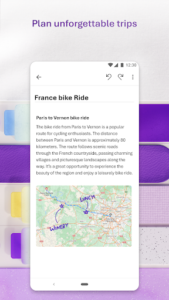

Microsoft OneNote: Save Notes is an app designed to help users capture, organize, and manage their thoughts and tasks across multiple smart devices. It allows for detailed note-taking through various methods, including voice notes, handwritten input using a pen, and web clippings. A key feature is its extensive use of AI, which can generate transcriptions from voice recordings, summarize meetings and discussions, and provide AI audio overviews, simplifying the process of reviewing content and studying. The app also emphasizes security, allowing users to lock notes behind protective features and share private notes with enterprise-level security.
AI-Powered Note Management
The app incorporates AI features to streamline note processing. Users can record voice notes and leverage AI transcription to convert spoken words into text, making it easier to search and review content later. Beyond transcription, the AI can summarize meetings, classes, and discussions, turning them into shareable documents or providing AI audio overviews for quick comprehension. AI chat memos can also help users make sense of their voice notes, and AI studying tools are available for enhanced review.
Diverse Note Capture Methods
OneNote supports a range of methods for capturing information. Users can take voice notes, which are then processed with voice-to-text capabilities. For those who prefer writing, the app supports capturing smart voice notes in ink, allowing users to write down to-do lists or other notes using a pen. It also enables drawing directly within notes and clipping content from the web to add to a writing notebook. Additionally, the app offers Samsung Notes integration, allowing notes from connected accounts to be found in one place.
Document Scanning and Text Extraction
The app includes a Note-Taking Scanner feature that allows users to scan physical documents or pictures. Once scanned, the app can extract text from the captured images. Users can also apply various filters to these scanned images, such as changing colors, adding ink, or cropping them, to refine their appearance and content.
Organization, Security, and Collaboration
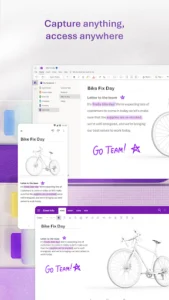
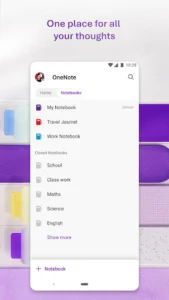
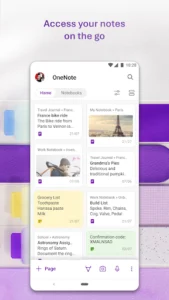
Microsoft OneNote functions as a comprehensive organizer, enabling users to manage work tasks and ideas. Its smart search capabilities allow for quick retrieval of notes, including searching through audio recordings and their voice-to-text transcriptions. For security, notes can be locked behind protective features, and private notes can be shared with enterprise-level security. The app also supports syncing notes across all smart devices, ensuring access from anywhere, and facilitates collaboration on creative ideas and writing. Users can create meeting summaries from voice notes and generate talking points for follow-up discussions.

















Write a review